
Adding an Alignia Monitoring Room Connection
In order to use Alignia Monitoring Room, you must connect Insite to one or more of your systems that have Alignia installed on them.
This is one of the tasks that must be done before anyone can use the Alignia Monitoring Room module.
Follow these steps to define a connection:
- In the Navigation Pane, click Settings.
- Click Product Connections.
- Click Add.
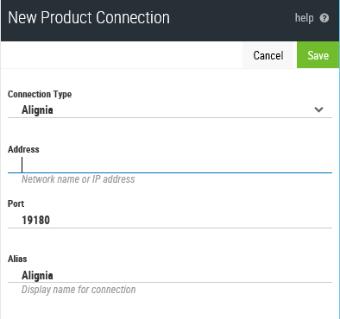
- From the Connection Type drop-down menu select Alignia.
- Enter the Network name or IP Address of the server on which the instance of Alignia to which you want to connect is installed.
- Unless otherwise instructed, leave the Port setting as 19180.
- Enter an Alias. This is the name by which this connection will be identified throughout Insite.
- Click Save.
If the connection is successful and active it is displayed on the Product Connections page as a  green cloud symbol.
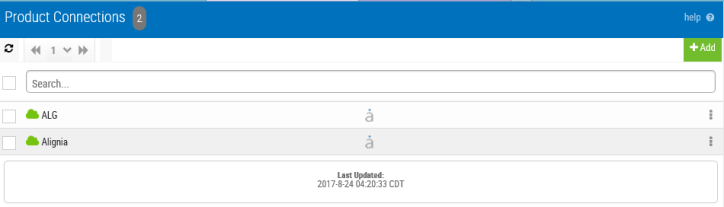
You are now ready to add a dashboard for this product connection.