Endpoints screen
How to get there
In the Insite Navigation Pane for Powertech Antivirus, choose Endpoints.
What it does
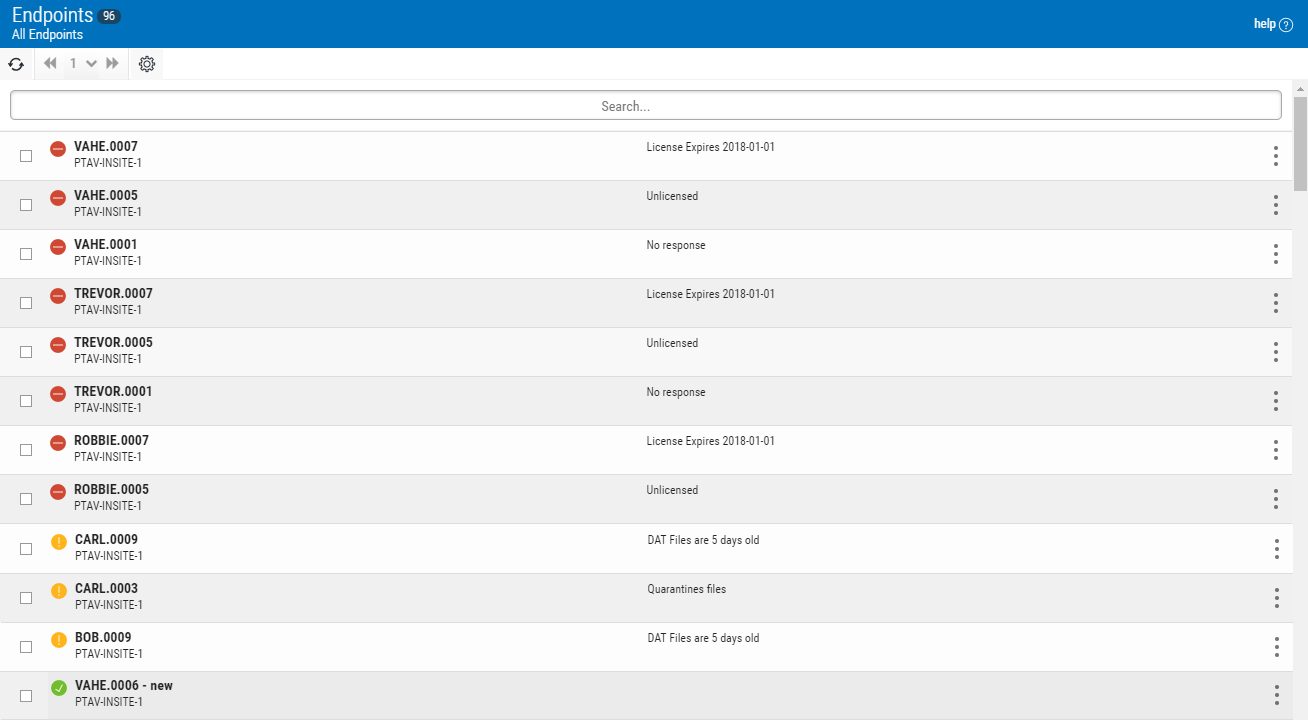
The Endpoints screen indicates the status of registered endpoints. This list excludes endpoints that have not been whitelisted, as well as endpoint that have been blacklisted. (See Connection Settings screen for details.)
Identifying the Endpoint Status
 Good. No issues found.
 Warning. No major issues found, but warnings reported.
 Critical. Issues found. Action required.
 Down. The endpoint did not respond to the last health check request.
Options
 (Show Actions)
Select this to show a menu with the following options
- Properties. Click Properties for an Endpoint to open the Endpoint Properties pane, where you can configure settings for the Endpoint.
- Update Endpoint Configuration. Choose this option to update the Configuration on the endpoint in order to restore the current Configuration settings.
- Close. Choose Close to dismiss the Actions menu.
Selected Endpoints
Select one or more Endpoints using the check box to the left of each Endpoint in the list. When you do so, the following options appear at the top of the screen.
