Installing HelpSystems Insite on Your Windows Server - Single System
Make sure your system meets the minimum requirements before installing Insite on your Microsoft Windows Server.
Notes:
- You can download the installer from the My Downloads page on our customer portal. The installer is available whether you're requesting a free trial of our software, updating your software, or converting your software.
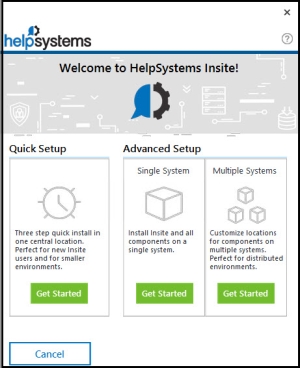
The Single System option is for users that are only installing on a single system and want the ability to pick which products are installed as part of their Insite installation.
 Single System:
-
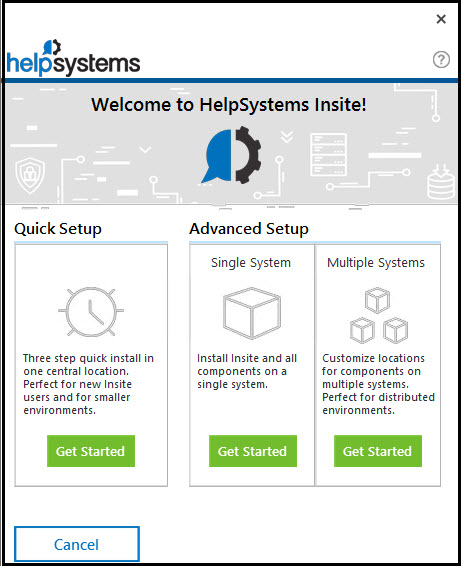
Click Get Started within the Single System section of the installation window.
-
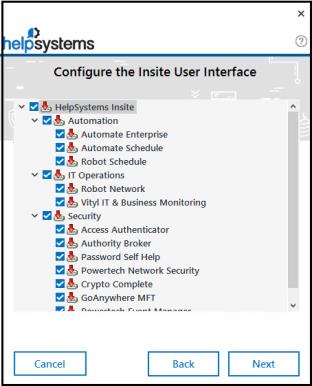
On the Configure the Insite User Interface panel, select the products you want to install and click Next.
-
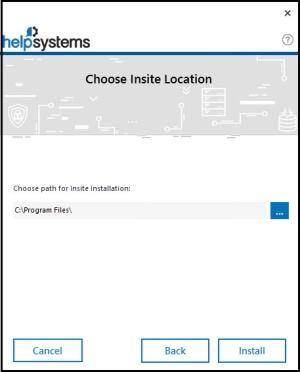
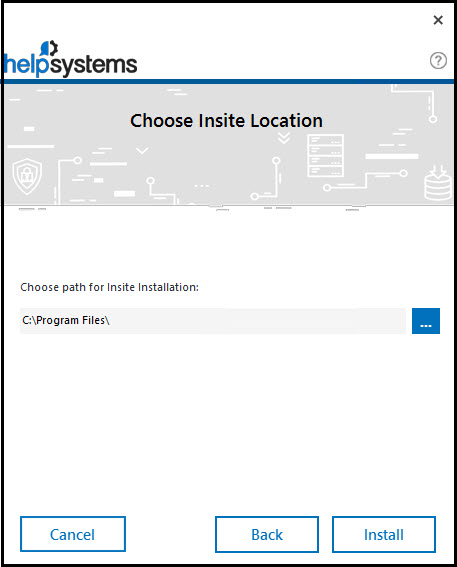
Choose the location where you would like to install Insite. You can change the default location.
-
Click Install.
-
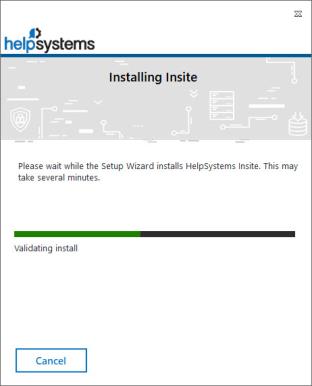
The installation begins. The installer gives you a detailed view of the installation progress.
-
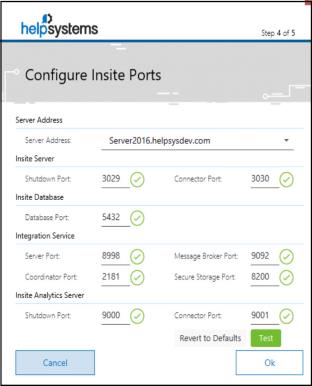
The HelpSystems Insite Server Configuration Manager window displays. You must set up ports for HelpSystems Insite. The installer lets you know if the default ports are available. If a port is unavailable, enter a new port number and click Test to see if it's available. Once all ports are available, click OK.
-
Follow the onscreen instructions to complete the installation. After the installation completes, a summary screen will open in your default browser.
After You Are Done
After installation is complete, point a web browser to the following URL:
http://xxx.xxx.xxx.xxx:nnnn/
where xxx.xxx.xxx.xxx is the IP address of your server and nnnn is the connector port number you entered during installation.
If this is an new installation, the Startup Wizard will display to help you configure your installation of Insite. That will help you start setting up the software.